
Rule-Based Automation
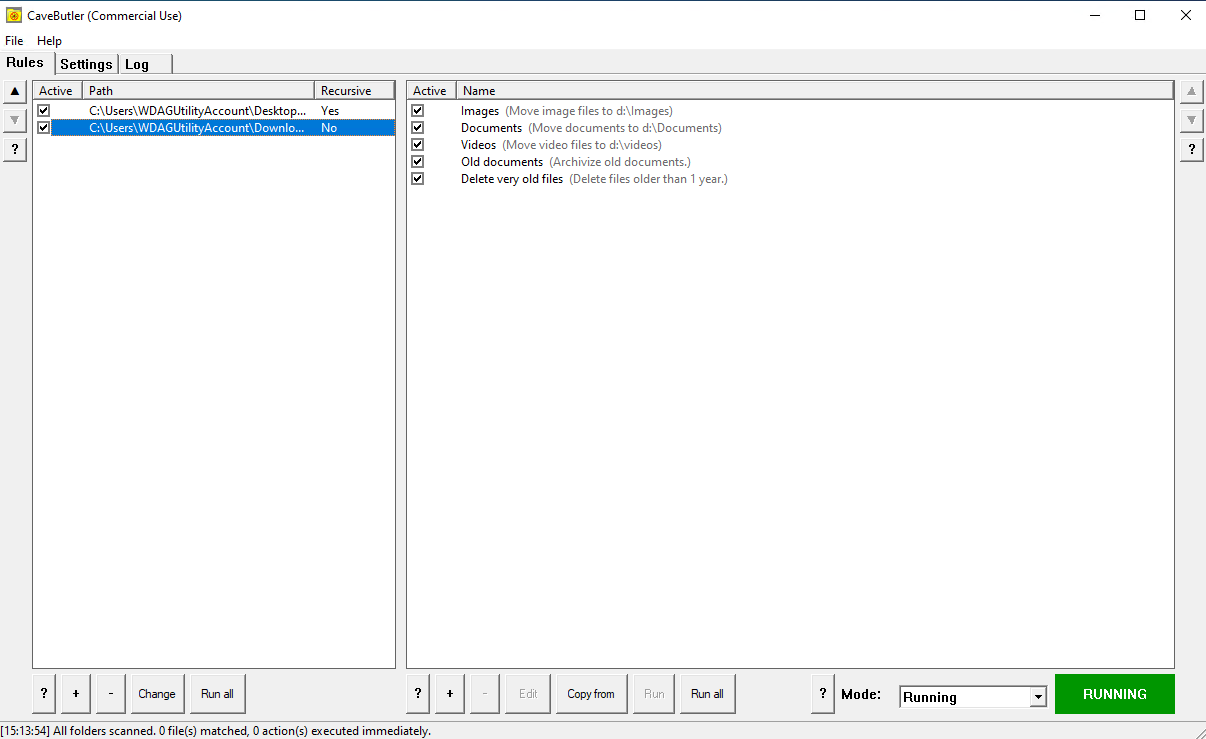
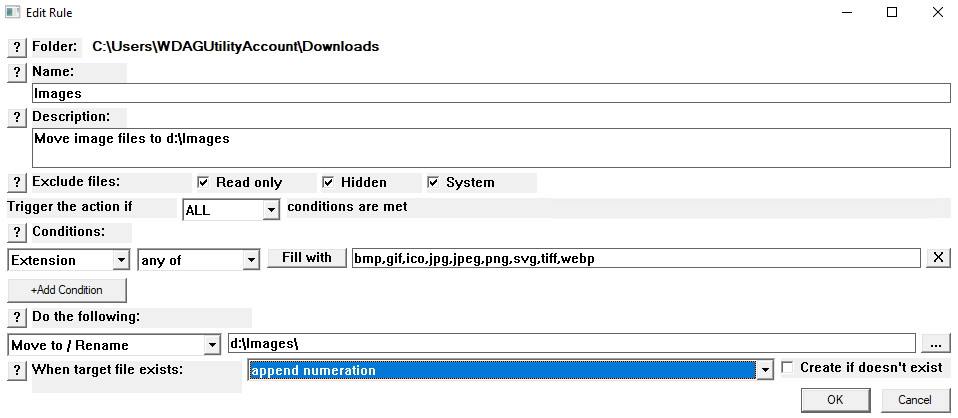
Create flexible rules once, then CaveButler watches for matching files and executes your commands: move, archive, delete - without manual intervention.
Watch your folders. Define rules once. Let CaveButler automatically move, archive, or delete files based on your criteria. No bloat. No subscriptions. No surprises.
CaveButler combines powerful file automation with absolute control.
Built as a native Windows utility: no Electron bloat, minimal resource footprint.
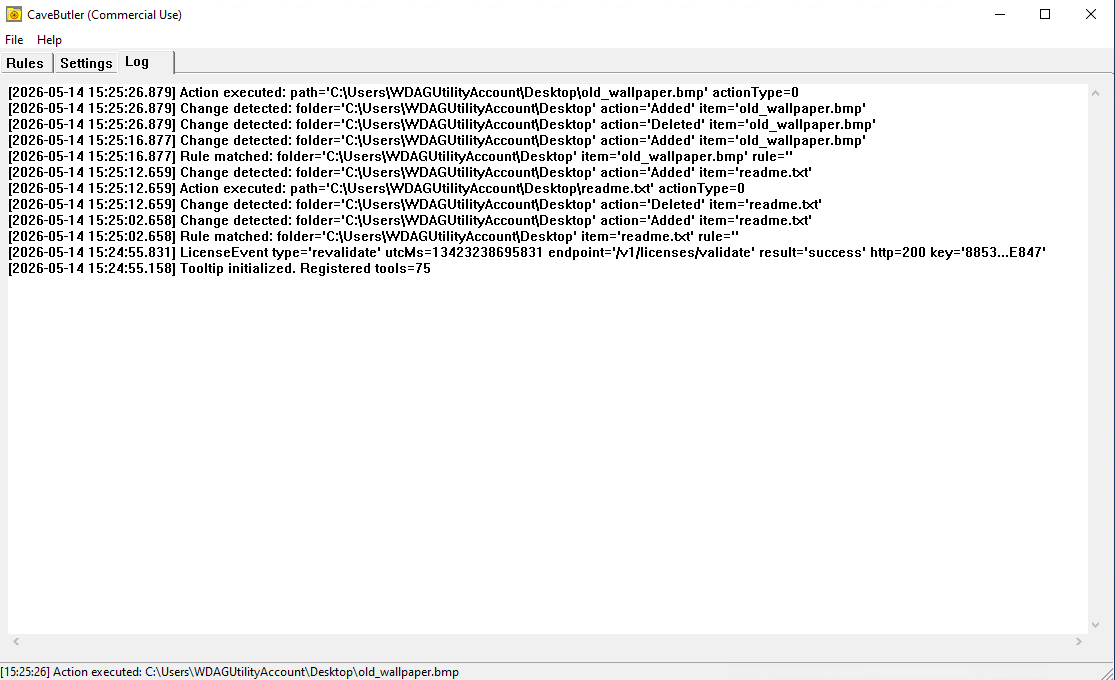
Create flexible rules once, then CaveButler watches for matching files and executes your commands: move, archive, delete - without manual intervention.
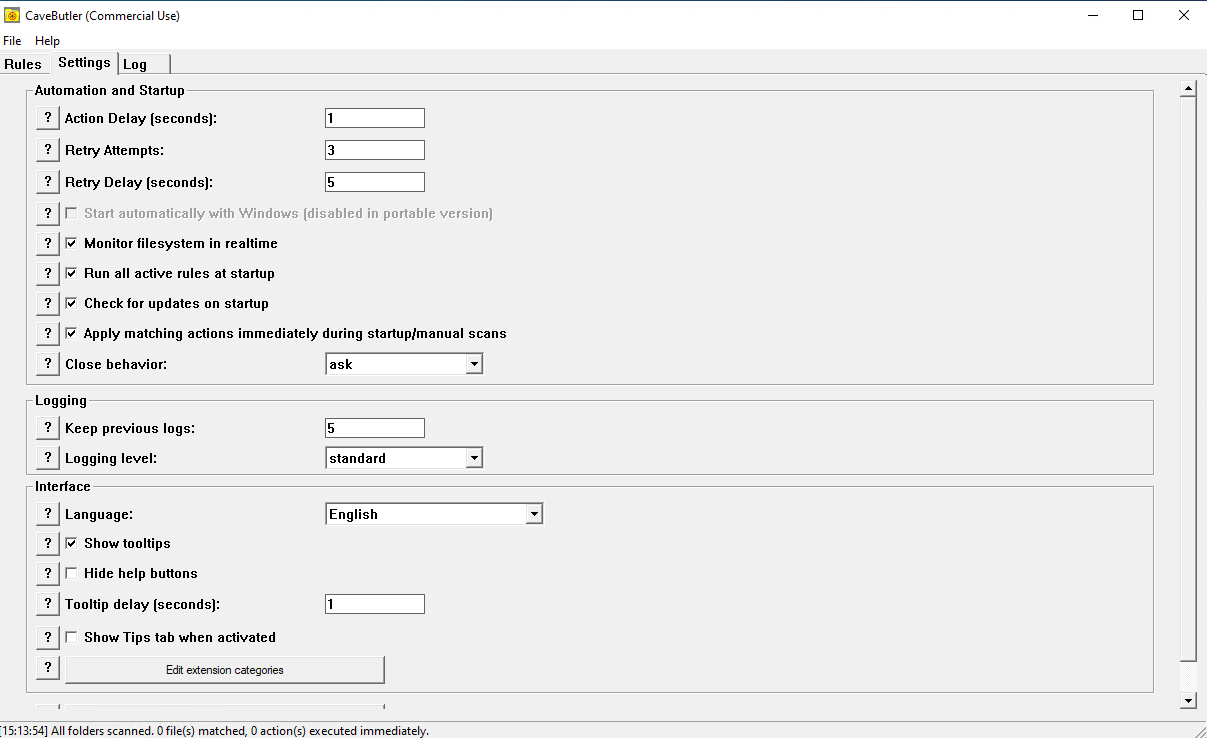
Enable background monitoring to catch matching files instantly, or run rules manually on demand. Simulation mode lets you preview changes before they happen.
Runs quietly in the background with very low RAM and CPU usage, so automation stays active without slowing your system down.
Built in pure C/C++ with native WinAPI, CaveButler delivers a classic, efficient Windows experience.
No bloated frameworks, no JavaScript overhead - just a lean, responsive interface designed for users who value performance, low resource consumption, and straightforward desktop usability.
The free version includes 100% of CaveButler's functionality, including automatic updates, for personal use.
Commercial use rights for individuals and businesses, with a straightforward 30-day refund policy and no catches.
Multi-seat licensing for teams that want the same commercial rights at a lower per-seat cost.
CaveButler 1.0 can be installed from the Microsoft Store, via Winget or Chocolatey, or downloaded as a standard installer or standalone portable ZIP. Every option includes the full feature set - pick whichever fits your workflow.

Install and update CaveButler directly through the Microsoft Store with the standard Windows app workflow.
With this option, you can easily rate us and leave a review.

Use your preferred package manager to install CaveButler from the terminal.

winget install -e --id CavemanSoft.CaveButler

choco install cavebutler --version=1.0.0

Standard Windows installer. Registers CaveButler in your system, creates a Start Menu shortcut, and handles future uninstallation cleanly through Windows Settings.
SHA256: 0a6e60ca93e886e77523fc9960660da95bb7d35f376d0352a55e7085229f8489
Download Installer
No installation required. Extract the ZIP anywhere - a local folder, an external drive, or a USB stick - and run CaveButler directly.
SHA256: c468d6d00972d22f58eeeabb1da1344eb1fea8be59737310c0a96207ee6c4836
Download Portable ZIPFound a bug? Have a feature request? We'd love to hear from you. Send us an email with details about your experience, and we'll get back to you as soon as possible.
cavebutler@cavemansoft.com
CaveButler is licensed as free for personal use and paid for commercial use. The documents below explain the usage terms, describe the anonymous telemetry and billing data used to operate the product, and outline the 30-day refund policy for commercial licenses.
By downloading, installing, or using CaveButler, you agree to be bound by these Terms of Service. If you do not agree to these terms, do not use this Software.
All intellectual property rights in the Software remain with the developer, and you are granted only the limited rights described in these Terms. The Software is provided "as is" without warranty of any kind, express or implied, including any promise that it will be error-free or uninterrupted. To the maximum extent permitted by law, the developer shall not be liable for indirect, incidental, special, consequential, or punitive damages arising from your use of or inability to use the Software.
This license is effective until terminated. Your rights terminate automatically if you violate any provision of these Terms of Service. We reserve the right to modify these Terms of Service at any time, and changes are effective immediately upon posting. Continued use of the Software constitutes acceptance of modified terms.
CaveButler is committed to protecting your privacy. This Privacy Policy explains our practices regarding the collection, use, and disclosure of personal information.
Most data associated with CaveButler never leaves your computer. The only information we receive directly is a small, anonymous telemetry event if you agree to telemetry (enabled by default, and you can disable it at any time in Settings).
If you purchase a commercial license, billing and payment information is collected and processed by Lemon Squeezy (not by us).
If telemetry is enabled, CaveButler sends one small anonymous launch event per install per UTC day. The event contains no personal information, no file data, and no device identifiers, only the minimal fields listed below. Its sole purpose is to help us count active installs and understand software adoption trends.
When telemetry is enabled, the event includes an event name, an anonymous install identifier derived from a locally generated install ID and fixed salt, the application version, platform, schema version, and a server receipt timestamp. It is designed to avoid direct identification and does not transmit a raw machine GUID or device serial number.
Billing is processed through Lemon Squeezy (https://www.lemonsqueezy.com/privacy). Cloudflare infrastructure is used to receive and store telemetry events and related service logs. CaveButler does not use advertising trackers or data brokers, and it does not sell personal data. Configuration data remains on your computer until you uninstall the Software or delete the data, while telemetry data is retained only as long as needed for analytics, operations, and legal or security purposes.
CaveButler is not intended for users under the age of 13. Privacy policy changes are effective immediately upon posting.
We stand behind CaveButler and want you to be satisfied with your purchase. If you are not satisfied, you can return the Software within 30 days of purchase for a full refund.
The free version of CaveButler is provided at no cost, so no refund applies to it. For commercial licenses, you may request a refund within 30 days of the original purchase date.
Refunds will not be issued for purchases made more than 30 days ago.
Refund requests are processed through Lemon Squeezy, so include your transaction ID in all communications.
If a refund is approved, we will notify you and Lemon Squeezy, approved refunds are typically processed within 5 to 10 business days to the original payment method, and the commercial license is deactivated so you revert to the free version.
If your request is outside the 30-day window, please still contact us and we may offer support or alternative resolutions at our discretion. Commercial licenses are sold on a one-time purchase basis, not as recurring subscriptions, with no automatic renewals or hidden charges. If you have a dispute, you may send additional information, request escalation to management, or file a dispute through Lemon Squeezy if the issue is billing-related.
We reserve the right to modify this Refund Policy, and changes will not apply retroactively to requests already in process. For refund inquiries, contact us at cavebutler@cavemansoft.com with your license key, transaction ID, date of purchase, reason for the request, and any relevant error details.